
Every deal needs a next step
Deals don't die from bad products or wrong pricing — they die from inertia. The simplest habit that keeps your pipeline moving is making sure every open deal always has a specific next action tracked.
Deals don't die from bad products or wrong pricing — they die from inertia. A deal sits in "Proposal" for six weeks, no alarm goes off, and by the time someone notices it's been untouched for a month, the prospect has already moved on. The fix is simple: make sure every open deal always has a specific next action tracked.
That's the whole principle. Here's what it looks like in practice.
What a next step actually is
A next step is not "follow up." That's a category, not a step.
A next step is: "Send revised pricing to Sarah by Thursday." Or: "Call to confirm they've reviewed the contract — due Monday." Or: "Check in after their board meeting on the 14th."
Three properties make it real:
- Specific — you know exactly what to do
- Dated — there's a deadline, even if it's self-imposed
- Owned — one person is responsible, even if it's obvious that person is you
Without all three, it's a good intention, not a task.
The discipline: never leave a deal without one
The most effective sales teams share one habit: they never complete an action on a deal without immediately defining the next one.
Just got off a call? Before you close your CRM, add the next step. Sent the proposal? Log when you'll follow up if you haven't heard back. Completed a task? Don't mark it done without creating the successor task.
Every interaction should end with a clear handoff: here's what happens next, here's when, here's who.
"Waiting for client" is not a state
One anti-pattern worth calling out: waiting for client as a deal status.
Schedule the follow-up. Right now. If the client comes back before the follow-up date — great, complete the task early and set the next one. But if you don't schedule it, "waiting for client" becomes an indefinite holding pattern with no owner and no date. The prospect moves on. The deal quietly dies.
"Waiting for client" is not a state. It's a follow-up with a future date.
How this works in Clozyx
Clozyx builds this discipline in from the beginning. Here's exactly how it works.
Step 1: Read the board at a glance
Open the Deals screen. Every deal card shows a status badge that reflects its next step state:
- Blue badge - a next step task is active and not yet due. The deal is healthy.
- Orange "No next step" or "Next step done" badge - the deal has no task linked to it, either because it never did, or because the linked task is completed. In either case, the next step needs to be defined, or the deal might stall.
- Red "Overdue" badge - the next step is there but it's past due and hasn't been actioned yet, do something!
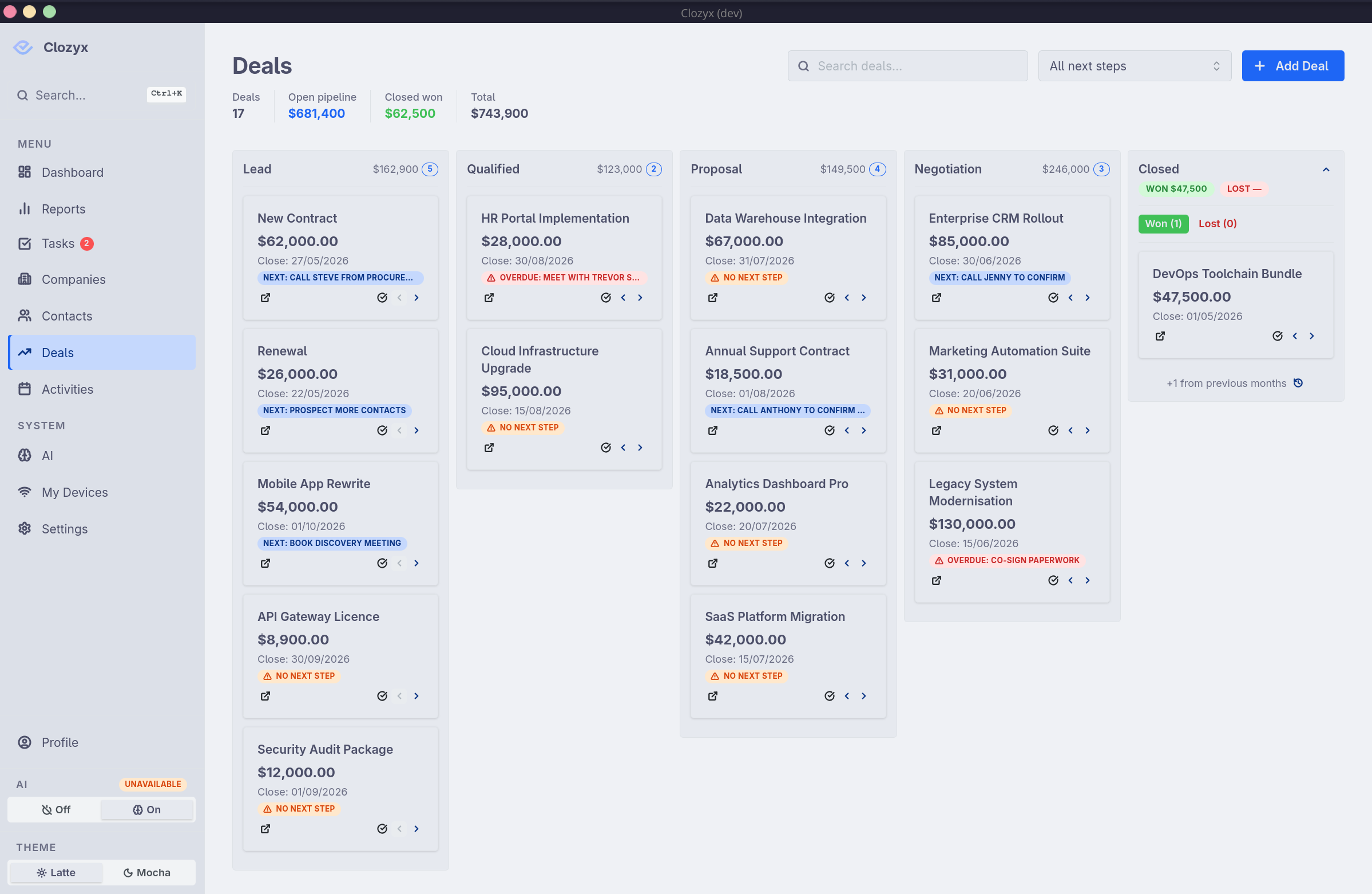
A column of orange deals is an honest picture of where your pipeline needs attention. This view alone changes the conversation in a weekly review — you're looking at real health signals, not just stage labels.
Step 2: Set a next step on a deal
Click any deal card to open the detail panel. The Next Step field sits near the top of the record, alongside the deal name and value.
If no next step is set, you'll see a prominent Set next step button. Click it to create a linked task — enter what needs to happen, pick a due date, and confirm the owner. That's it.
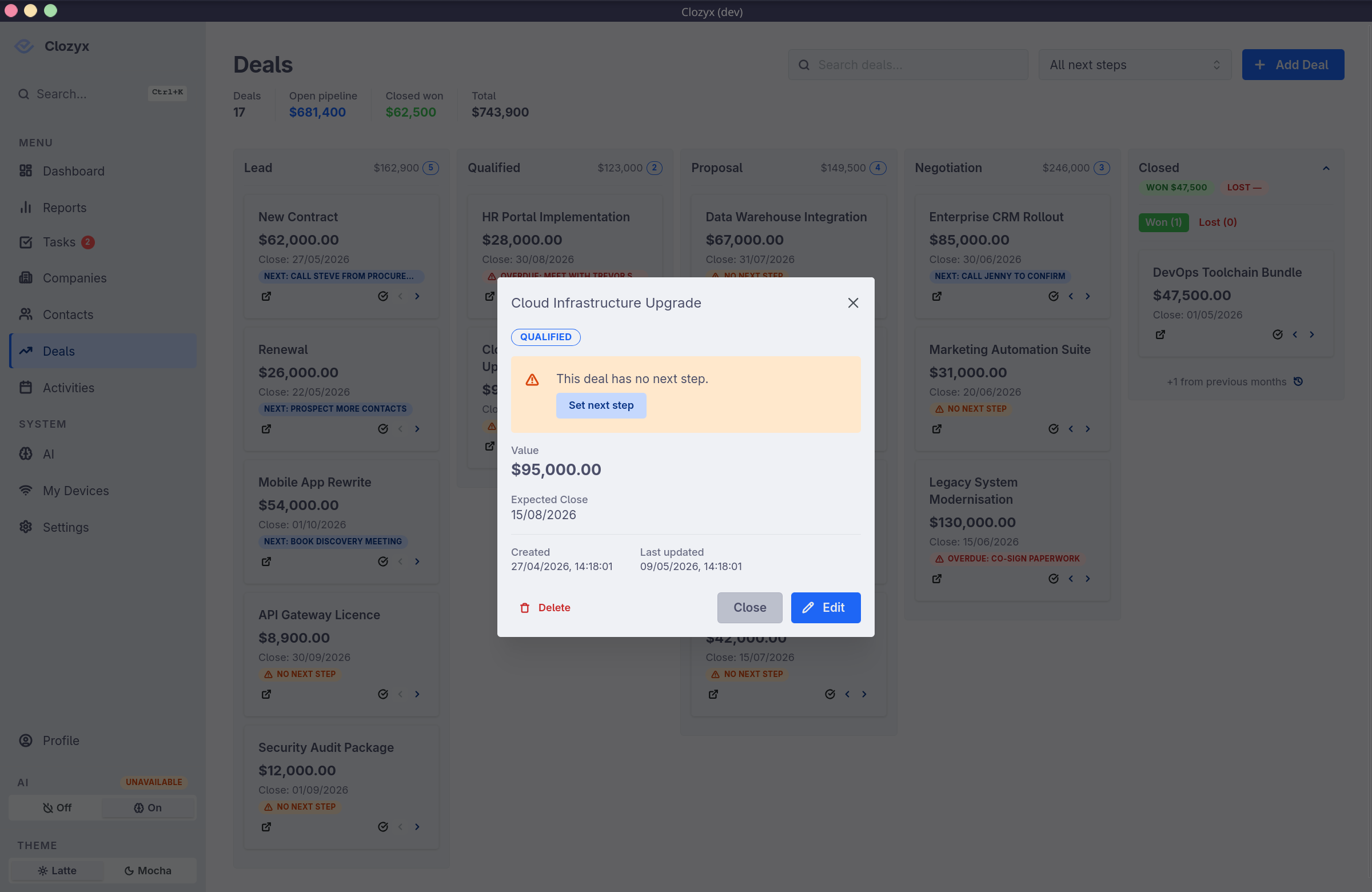
If a next step task already exists, it's shown inline here with its due date and assignee. When you mark it complete, Clozyx immediately prompts you to set the replacement — so the chain never breaks unless you deliberately choose to skip it.
Step 3: The stage-move prompt
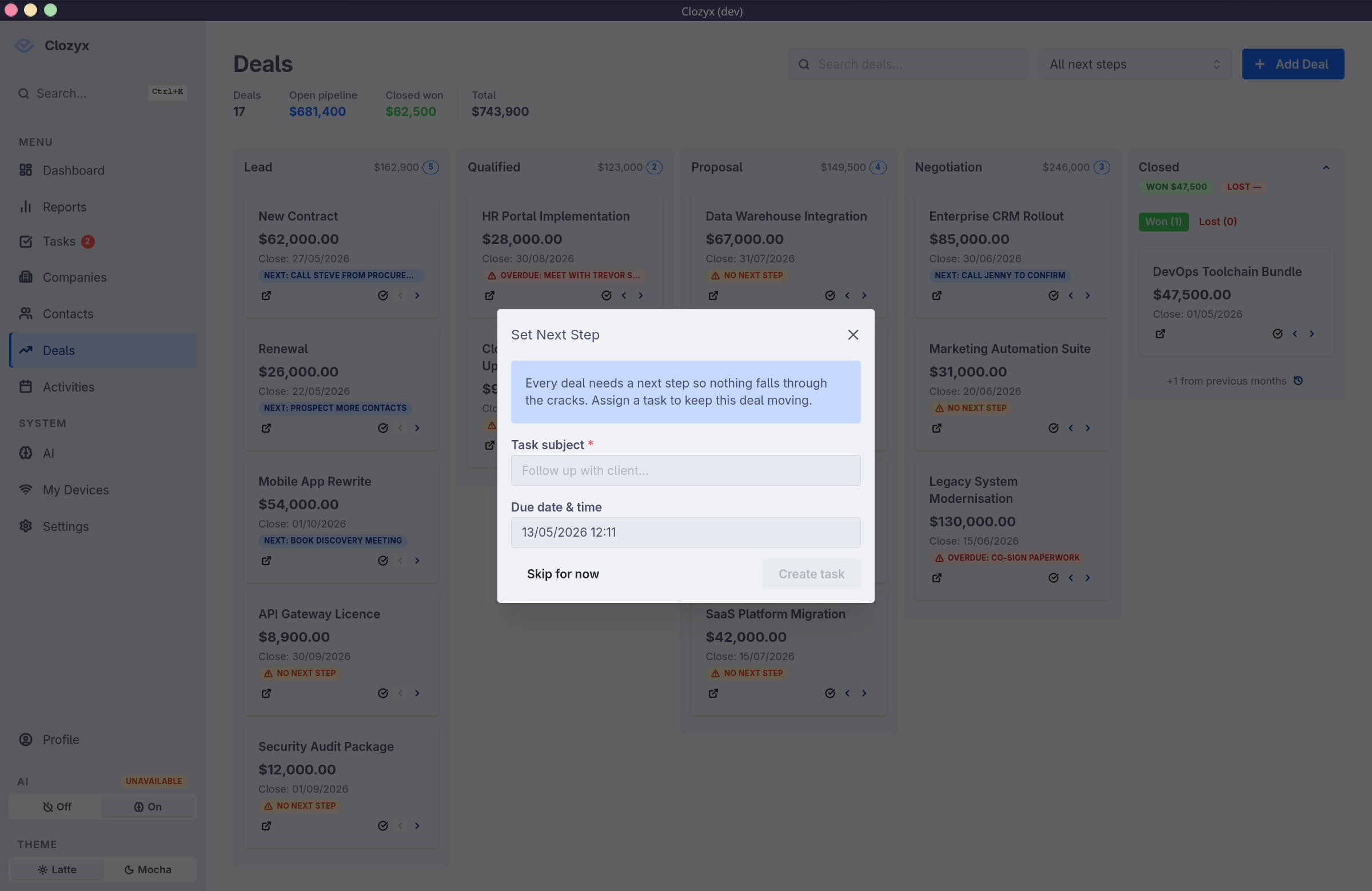
When you drag a deal to a new stage on the board (or advance it from the detail panel), Clozyx checks whether the deal has an active next step for the new stage.
If it doesn't, a prompt appears asking you to set one before confirming the move. The prompt is skippable — discipline tools shouldn't be handcuffs — but the timing is intentional. The moment you move a deal forward is often when the next action is clearest: you just had the call, you just sent the proposal. Clozyx surfaces the prompt while that context is live.
Step 4: Filter for deals that need attention
In the deals list view, use the No next step filter to surface every open deal that's missing a task. This is your accountability list — work through it at the start or end of each day.
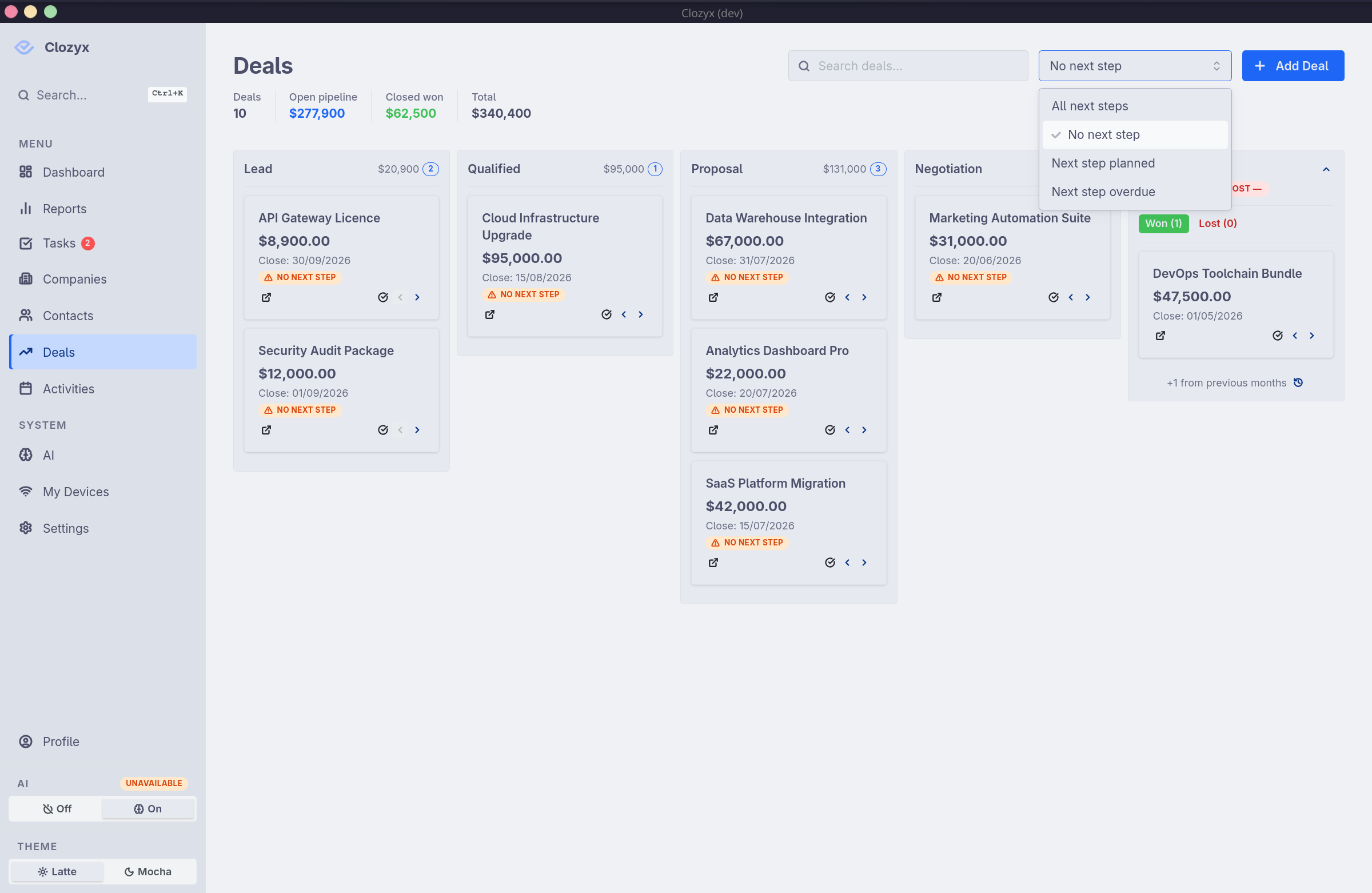
Use this filter. Review it daily. If the list is empty, your pipeline has a next step on every deal — and that's a meaningful thing to be able to say.
None of this is magic — it's structure. Having it built in means it's there for every deal, for every rep, from day one.
Next step tracking is worth evaluating in any CRM you're considering: is it a first-class feature, or buried two clicks deep in a task tab? The difference reflects a real philosophical difference in how the tool thinks about accountability.
Try Clozyx yourself — the "No next step" filter is right there from day one.